
- SU
- MO
- TU
- WE
- TH
- FR
- SA
Events for March
31

12:00 pm - 1:30 pm
Music Sunday at MCAT Studios
MCAT

2:00 pm - 5:00 pm
Community Radio DJ Auditions
MCAT
Events for April
1

2:00 pm - 3:00 pm
Learn Computer Video Editing
MCAT
2:30 pm - 5:00 pm
LEGO Club
Imaginarium

3:00 pm - 6:00 pm
Research Studies & Science Activities for Kids
UM Living Lab

5:30 pm - 7:30 pm
Soup & Stories with All Nations Health Center
Demonstration Kitchen
Events for April
2

All Day
AARP TaxAide
Cooper Room A

10:00 am - 12:00 pm
CDC Play Group
Imaginarium

11:00 am - 12:00 pm
Preschool Art with a Purpose
Families First Classroom
2:00 pm - 3:00 pm
Video Camera Tour
MCAT

2:00 pm - 6:00 pm
Discovery Area Science Activity
spectrUM Discovery Area

3:30 pm - 4:30 pm
Read with Dogs!
Imaginarium
4:30 pm - 7:30 pm
Big Sky Branch 3D Printing Services
Big Sky Branch Library

5:30 pm - 6:30 pm
Introduction to Podcasting
MCAT
Events for April
3

11:00 am - 3:00 pm
Blue Block Wednesday
Families First Classroom
2:00 pm - 6:00 pm
Discovery Area Science Activity
spectrUM Discovery Area
2:00 pm - 5:30 pm
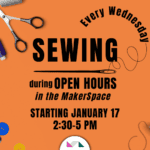
Open Hours/Sewing Drop In
MakerSpace
3:00 pm - 6:00 pm
Research Studies & Science Activities for Kids
UM Living Lab

3:30 pm - 5:00 pm
Middle School Writers’ Group
Art Box

4:30 pm - 5:30 pm
Big Sky Writers’ Group
Big Sky Branch Library

5:30 pm - 6:30 pm
Learn MCAT’s 3 Camera Studio
MCAT
Events for April
4
10:30 am
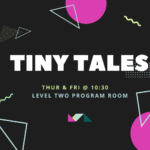
Tiny Tales
Imaginarium

12:00 pm - 1:00 pm
YMCA Yoga at the Library
Cooper Room A
2:00 pm - 6:00 pm
Discovery Area Science Activity
spectrUM Discovery Area
2:00 pm - 3:00 pm
Introduction to Podcasting
MCAT
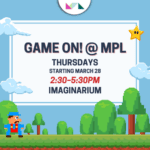
2:30 pm - 5:30 pm
Game On! @ MPL
Imaginarium
3:00 pm - 6:00 pm
Research Studies & Science Activities for Kids
UM Living Lab
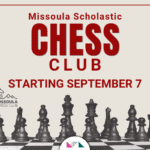
3:30 pm - 5:30 pm
Missoula Scholastic Chess Club at MPL
Cooper Room B

3:30 pm - 4:30 pm
Cooking for Kids!
Demonstration Kitchen
4:30 pm - 7:30 pm
Big Sky Branch 3D Printing Services
Big Sky Branch Library
Events for April
5
10:00 am - 1:00 pm
Research Studies & Science Activities for Kids
UM Living Lab
10:30 am
Tiny Tales
Imaginarium

11:00 am - 12:00 pm
Community Connections
Families First Classroom
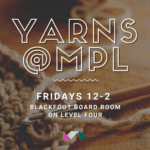
12:00 pm - 2:00 pm
Yarns @ MPL
Blackfoot Room
12:00 pm - 2:00 pm
Watercolor Painting Class
Cooper Room
2:00 pm - 6:00 pm
Discovery Area Science Activity
spectrUM Discovery Area
2:30 pm - 5:00 pm
LEGO Club with Food Bank After-School Meals for Kids
Imaginarium
3:00 pm - 6:00 pm
Research Studies & Science Activities for Kids
UM Living Lab

3:30 pm - 5:30 pm
Young Adult Writers’ Group
Art Box
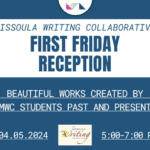
5:00 pm - 7:00 pm
Missoula Writing Collaborative First Friday Reception
Level Four
Events for April
6
10:00 am - 6:00 pm
Research Studies & Science Activities for Kids
UM Living Lab
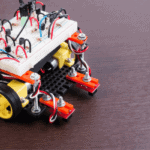
10:00 am - 12:00 pm
Robot Obstacle Course Challenge
UM Living Lab
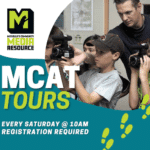
10:00 am - 11:00 am
MCAT Tour & Training
MCAT
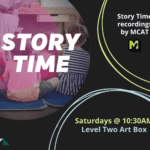
10:30 am
Story Time
Art Box

11:00 am - 11:45 am
Young Kids Dance Party
MCAT

11:00 am - 1:00 pm
Week of the Young Child Kick Off
Families First Classroom
1:00 pm - 3:00 pm
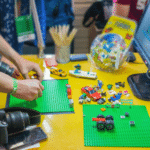
Stop Animation Workshop for Kids
MCAT
2:00 pm - 6:00 pm
Discovery Area Science Activity
spectrUM Discovery Area
3:00 pm - 5:00 pm
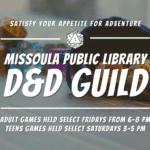
D&D Guild for Teens
Virtual Event

4:00 pm - 5:30 pm
Virtual Reality Tour
MCAT
Events for April
7
12:00 pm - 1:30 pm
Music Sunday at MCAT Studios
MCAT
2:00 pm - 5:00 pm
Community Radio DJ Auditions
MCAT
Events for April
8

10:00 am - 11:00 am
Friends Volunteer Event
Blackfoot Room

12:00 pm - 1:00 pm
Volunteer Day
Families First Classroom
1:00 pm - 2:00 pm
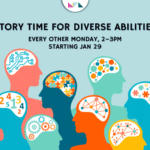
Story Time for Diverse Abilities
Art Box
2:00 pm - 3:00 pm
Learn Computer Video Editing
MCAT
2:30 pm - 5:00 pm
LEGO Club
Imaginarium
3:00 pm - 6:00 pm
Research Studies & Science Activities for Kids
UM Living Lab
5:00 pm - 6:00 pm
Volunteer Day
Families First Classroom

6:00 pm - 7:00 pm
Getting to Know Spring Wildflowers
Cooper Room B
Events for April
9
11:00 am - 12:00 pm
Preschool Art with a Purpose
Families First Classroom
2:00 pm - 3:00 pm
Video Camera Tour
MCAT
2:00 pm - 6:00 pm
Discovery Area Science Activity
spectrUM Discovery Area
2:00 pm
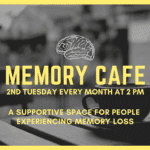
Memory Café
Cooper Room
3:30 pm - 4:30 pm
Read with Dogs!
Imaginarium
4:30 pm - 7:30 pm
Big Sky Branch 3D Printing Services
Big Sky Branch Library
5:30 pm - 6:30 pm
Introduction to Podcasting
MCAT
Events for April
10
11:00 am - 3:00 pm
Blue Block Wednesday
Families First Classroom

1:00 pm - 3:00 pm
Swan Valley Book Chat
Swan Valley Branch
2:00 pm - 6:00 pm
Discovery Area Science Activity
spectrUM Discovery Area

2:00 pm - 4:00 pm
Windows 11 User Group
Blackfoot Room
2:00 pm - 5:30 pm
Open Hours/Sewing Drop In
MakerSpace
3:00 pm - 6:00 pm
Research Studies & Science Activities for Kids
UM Living Lab
3:30 pm - 5:00 pm
Middle School Writers’ Group
Art Box
4:30 pm - 5:30 pm
Big Sky Writers’ Group
Big Sky Branch Library
5:30 pm - 6:30 pm
Learn MCAT’s 3 Camera Studio
MCAT

6:30 pm - 7:30 pm
Potomac Branch Library Book Club
Potomac Branch Library
6:30 pm - 7:30 pm
2nd Wednesday Night Book Group
Blackfoot Room
Events for April
11
10:30 am
Tiny Tales
Imaginarium
12:00 pm - 1:00 pm
YMCA Yoga at the Library
Cooper Room A
2:00 pm - 6:00 pm
Discovery Area Science Activity
spectrUM Discovery Area
2:00 pm - 3:00 pm
Introduction to Podcasting
MCAT
2:30 pm - 5:30 pm
Game On! @ MPL
Imaginarium
3:00 pm - 6:00 pm
Research Studies & Science Activities for Kids
UM Living Lab
4:30 pm - 7:30 pm
Big Sky Branch 3D Printing Services
Big Sky Branch Library
Events for April
12
10:00 am - 1:00 pm
Research Studies & Science Activities for Kids
UM Living Lab
10:30 am
Tiny Tales
Imaginarium
11:00 am - 12:00 pm
Community Connections
Families First Classroom
12:00 pm - 2:00 pm
Yarns @ MPL
Blackfoot Room
12:00 pm - 2:00 pm
Watercolor Painting Class
Cooper Room
2:00 pm - 6:00 pm
Discovery Area Science Activity
spectrUM Discovery Area
2:30 pm - 5:00 pm
LEGO Club with Food Bank After-School Meals for Kids
Imaginarium
3:00 pm - 6:00 pm
Research Studies & Science Activities for Kids
UM Living Lab
3:30 pm - 5:30 pm
Young Adult Writers’ Group
Art Box
6:00 pm - 8:00 pm
D&D Guild for Adults
Virtual Event
Events for April
13
10:00 am - 6:00 pm
Research Studies & Science Activities for Kids
UM Living Lab
10:00 am - 12:00 pm
Robot Obstacle Course Challenge
UM Living Lab
10:00 am - 11:00 am
MCAT Tour & Training
MCAT
10:30 am
Story Time
Art Box
11:00 am - 11:45 am
Young Kids Dance Party
MCAT
1:00 pm - 3:00 pm
Stop Animation Workshop for Kids
MCAT
2:00 pm - 6:00 pm
Discovery Area Science Activity
spectrUM Discovery Area

3:00 pm - 5:00 pm
spectrUM Science at the UM Living Lab
UM Living Lab
3:30 pm - 5:00 pm
Genealogy Book Group
Blackfoot Room
4:00 pm - 5:30 pm
Virtual Reality Tour
MCAT
Events for April
14
12:00 pm - 1:30 pm
Music Sunday at MCAT Studios
MCAT
2:00 pm - 5:00 pm
Community Radio DJ Auditions
MCAT
Events for April
15

MPL Watercolor Class Art Show
Level Four
2:00 pm - 3:00 pm
Learn Computer Video Editing
MCAT
2:30 pm - 5:00 pm
LEGO Club
Imaginarium
3:00 pm - 6:00 pm
Research Studies & Science Activities for Kids
UM Living Lab
Events for April
16
11:00 am - 12:00 pm
Preschool Art with a Purpose
Families First Classroom
2:00 pm - 3:00 pm
Video Camera Tour
MCAT
2:00 pm - 6:00 pm
Discovery Area Science Activity
spectrUM Discovery Area
3:30 pm - 4:30 pm
Read with Dogs!
Imaginarium
4:30 pm - 7:30 pm
Big Sky Branch 3D Printing Services
Big Sky Branch Library
5:30 pm - 6:30 pm
Introduction to Podcasting
MCAT

5:45 pm - 7:00 pm
All About Podcasting Distribution
MCAT
Events for April
17
11:00 am - 3:00 pm
Blue Block Wednesday
Families First Classroom
2:00 pm - 6:00 pm
Discovery Area Science Activity
spectrUM Discovery Area
2:00 pm - 5:30 pm
Open Hours/Sewing Drop In
MakerSpace
3:00 pm - 6:00 pm
Research Studies & Science Activities for Kids
UM Living Lab
3:30 pm - 5:00 pm
Middle School Writers’ Group
Art Box

4:00 pm - 5:00 pm
Kids Cooking Class
Demonstration Kitchen

4:30 pm - 5:30 pm
Symphony Kids
Imaginarium
4:30 pm - 5:30 pm
Big Sky Writers’ Group
Big Sky Branch Library
5:30 pm - 6:30 pm
Learn MCAT’s 3 Camera Studio
MCAT
6:30 pm
3rd Wednesday Book Group
Blackfoot Room
Events for April
18
10:30 am
Tiny Tales
Imaginarium
12:00 pm - 1:00 pm
YMCA Yoga at the Library
Cooper Room A
2:00 pm - 6:00 pm
Discovery Area Science Activity
spectrUM Discovery Area
2:00 pm - 3:00 pm
Introduction to Podcasting
MCAT
2:30 pm - 5:30 pm
Game On! @ MPL
Imaginarium
3:00 pm - 6:00 pm
Research Studies & Science Activities for Kids
UM Living Lab
3:30 pm - 5:30 pm
Missoula Scholastic Chess Club at MPL
Cooper Room B
4:30 pm - 7:30 pm
Big Sky Branch 3D Printing Services
Big Sky Branch Library

5:45 pm
Frenchtown Book Club
Frenchtown Branch Library

6:30 pm
Lolo Book Discussion
Lolo Community Library
Events for April
19
10:00 am - 1:00 pm
Research Studies & Science Activities for Kids
UM Living Lab

10:00 am - 12:00 pm
Costume Decorating for the Wild Walk
Families First Classroom
10:30 am
Tiny Tales
Imaginarium
11:00 am - 12:00 pm
Community Connections
Families First Classroom
12:00 pm - 2:00 pm
Yarns @ MPL
Blackfoot Room
12:00 pm - 2:00 pm
Watercolor Painting Class
Cooper Room
2:00 pm - 6:00 pm
Discovery Area Science Activity
spectrUM Discovery Area
2:30 pm - 5:00 pm
LEGO Club with Food Bank After-School Meals for Kids
Imaginarium
3:00 pm - 6:00 pm
Research Studies & Science Activities for Kids
UM Living Lab
3:30 pm - 5:30 pm
Young Adult Writers’ Group
Art Box
Events for April
20
All Under One Roof Earth Week
Missoula Public Library
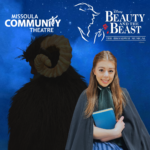
9:45 am
Story Time with Belle!
Imaginarium
10:00 am - 6:00 pm
Research Studies & Science Activities for Kids
UM Living Lab
10:00 am - 12:00 pm
Robot Obstacle Course Challenge
UM Living Lab
10:00 am - 5:00 pm
Costume Decorating for the Wild Walk
Families First Classroom
10:00 am - 11:00 am
MCAT Tour & Training
MCAT

Big Sky High School Art Show
spectrUM Discovery Area
10:30 am
Story Time
Art Box
11:00 am - 11:45 am
Young Kids Dance Party
MCAT

12:00 pm - 4:00 pm
Western Montana Genealogical Society Work Day
Blackfoot Room

12:00 pm - 1:30 pm
Nature Journaling for Youth
Art Box
1:00 pm - 3:00 pm
Stop Animation Workshop for Kids
MCAT
2:00 pm - 6:00 pm
Discovery Area Science Activity
spectrUM Discovery Area
3:00 pm - 5:00 pm
D&D Guild for Teens
Virtual Event
4:00 pm - 5:30 pm
Virtual Reality Tour
MCAT
Events for April
21
12:00 pm - 1:30 pm
Music Sunday at MCAT Studios
MCAT
2:00 pm - 5:00 pm
Community Radio DJ Auditions
MCAT
Events for April
22
1:00 pm - 2:00 pm
Story Time for Diverse Abilities
Art Box
2:00 pm - 3:00 pm
Learn Computer Video Editing
MCAT
2:30 pm - 5:00 pm
LEGO Club
Imaginarium
3:00 pm - 6:00 pm
Research Studies & Science Activities for Kids
UM Living Lab

6:00 pm - 7:30 pm
Hush of the Land – Storytelling with Arnold “Smoke” Elser
Cooper Room
Events for April
23
11:00 am - 12:00 pm
Preschool Art with a Purpose
Families First Classroom
2:00 pm - 3:00 pm
Video Camera Tour
MCAT
2:00 pm - 6:00 pm
Discovery Area Science Activity
spectrUM Discovery Area
3:30 pm - 4:30 pm
Read with Dogs!
Imaginarium
4:30 pm - 7:30 pm
Big Sky Branch 3D Printing Services
Big Sky Branch Library
5:30 pm - 6:30 pm
Introduction to Podcasting
MCAT
Events for April
24
11:00 am - 3:00 pm
Blue Block Wednesday
Families First Classroom
2:00 pm - 6:00 pm
Discovery Area Science Activity
spectrUM Discovery Area
2:00 pm - 5:30 pm
Open Hours/Sewing Drop In
MakerSpace
3:00 pm - 6:00 pm
Research Studies & Science Activities for Kids
UM Living Lab
3:30 pm - 5:00 pm
Middle School Writers’ Group
Art Box
4:30 pm - 5:30 pm
Big Sky Writers’ Group
Big Sky Branch Library

5:00 pm - 8:00 pm
Open AIR Artist-Led Workshop: Designing Generative Music with Anteo Fabris
MakerSpace
5:30 pm - 6:30 pm
Learn MCAT’s 3 Camera Studio
MCAT
6:00 pm - 7:00 pm
Wednesdays with the Mayor
Cooper Room B
Events for April
25
10:30 am
Tiny Tales
Imaginarium
12:00 pm - 1:00 pm
YMCA Yoga at the Library
Cooper Room A
2:00 pm - 6:00 pm
Discovery Area Science Activity
spectrUM Discovery Area
2:00 pm - 3:00 pm
Introduction to Podcasting
MCAT
2:30 pm - 5:30 pm
Game On! @ MPL
Imaginarium
3:00 pm - 6:00 pm
Research Studies & Science Activities for Kids
UM Living Lab
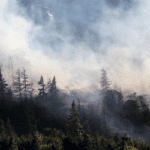
3:00 pm - 5:00 pm
Air, Wildfire, and Smoke
UM Living Lab
3:00 pm - 8:00 pm
MCAT’s Video Screening of Fires Around Missoula
MCAT

4:00 pm - 6:00 pm
Open Air Artist Presentation
Cooper Room A
4:30 pm - 7:30 pm
Big Sky Branch 3D Printing Services
Big Sky Branch Library
Events for April
26
10:00 am - 1:00 pm
Research Studies & Science Activities for Kids
UM Living Lab
10:30 am
Tiny Tales
Imaginarium
11:00 am - 12:00 pm
Community Connections
Families First Classroom
12:00 pm - 2:00 pm
Yarns @ MPL
Blackfoot Room
12:00 pm - 2:00 pm
Watercolor Painting Class
Cooper Room
2:00 pm - 6:00 pm
Discovery Area Science Activity
spectrUM Discovery Area
2:30 pm - 5:00 pm
LEGO Club with Food Bank After-School Meals for Kids
Imaginarium
3:00 pm - 6:00 pm
Research Studies & Science Activities for Kids
UM Living Lab
3:30 pm - 5:30 pm
Young Adult Writers’ Group
Art Box
6:00 pm - 8:00 pm
D&D Guild for Adults
Virtual Event

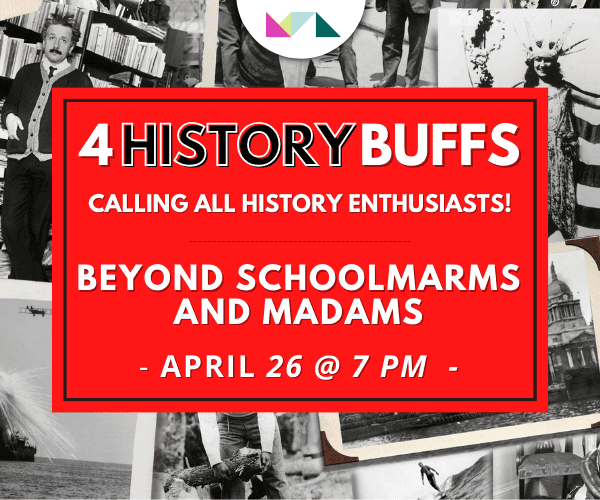
7:00 pm - 9:00 pm
4HistoryBuffs
Cooper Room
Events for April
27
10:00 am - 6:00 pm
Research Studies & Science Activities for Kids
UM Living Lab
10:00 am - 12:00 pm
Robot Obstacle Course Challenge
UM Living Lab
10:00 am - 11:00 am
MCAT Tour & Training
MCAT
10:30 am
Story Time
Art Box
11:00 am - 11:45 am
Young Kids Dance Party
MCAT
1:00 pm - 3:00 pm
Stop Animation Workshop for Kids
MCAT

1:30 pm - 3:00 pm
Nature Journaling
Cooper Room
2:00 pm - 6:00 pm
Discovery Area Science Activity
spectrUM Discovery Area
3:00 pm - 5:00 pm
spectrUM Science at the UM Living Lab
UM Living Lab
4:00 pm - 5:30 pm
Virtual Reality Tour
MCAT
Events for April
28
12:00 pm - 1:30 pm
Music Sunday at MCAT Studios
MCAT
2:00 pm - 5:00 pm
Community Radio DJ Auditions
MCAT
2:00 pm - 4:00 pm
Missoula Writes Awards Reception
Cooper Room
Events for April
29
2:00 pm - 3:00 pm
Learn Computer Video Editing
MCAT
2:30 pm - 5:00 pm
LEGO Club
Imaginarium
3:00 pm - 6:00 pm
Research Studies & Science Activities for Kids
UM Living Lab

5:00 pm - 7:00 pm
KFGM Presents: The FreeSessions
Cooper Room
Events for April
30
11:00 am - 12:00 pm
Preschool Art with a Purpose
Families First Classroom
2:00 pm - 3:00 pm
Video Camera Tour
MCAT
2:00 pm - 6:00 pm
Discovery Area Science Activity
spectrUM Discovery Area
3:30 pm - 4:30 pm
Read with Dogs!
Imaginarium
4:30 pm - 7:30 pm
Big Sky Branch 3D Printing Services
Big Sky Branch Library
5:30 pm - 6:30 pm
Introduction to Podcasting
MCAT
Events for May
1

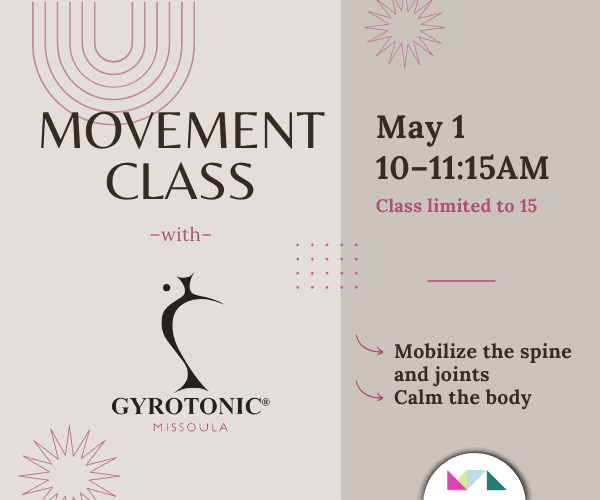
10:00 am - 11:15 am
Movement Class with Gyrotonic Missoula
Cooper Room B
11:00 am - 3:00 pm
Blue Block Wednesday
Families First Classroom
12:00 pm - 1:00 pm
Volunteer Day
Families First Classroom
2:00 pm - 6:00 pm
Discovery Area Science Activity
spectrUM Discovery Area
2:00 pm - 5:30 pm
Open Hours/Sewing Drop In
MakerSpace
3:00 pm - 6:00 pm
Research Studies & Science Activities for Kids
UM Living Lab
3:30 pm - 5:00 pm
Middle School Writers’ Group
Art Box
4:30 pm - 5:30 pm
Big Sky Writers’ Group
Big Sky Branch Library
5:00 pm - 6:00 pm
Volunteer Day
Families First Classroom
5:30 pm - 6:30 pm
Learn MCAT’s 3 Camera Studio
MCAT
Events for May
2
10:30 am
Tiny Tales
Imaginarium
12:00 pm - 1:00 pm
YMCA Yoga at the Library
Cooper Room A
2:00 pm - 6:00 pm
Discovery Area Science Activity
spectrUM Discovery Area
2:00 pm - 3:00 pm
Introduction to Podcasting
MCAT
2:30 pm - 5:30 pm
Game On! @ MPL
Imaginarium
3:00 pm - 6:00 pm
Research Studies & Science Activities for Kids
UM Living Lab
3:30 pm - 5:30 pm
Missoula Scholastic Chess Club at MPL
Cooper Room B
3:30 pm - 4:30 pm
Cooking for Kids!
Demonstration Kitchen
4:30 pm - 7:30 pm
Big Sky Branch 3D Printing Services
Big Sky Branch Library
Events for May
3
10:00 am - 1:00 pm
Research Studies & Science Activities for Kids
UM Living Lab
10:30 am
Tiny Tales
Imaginarium
11:00 am - 12:00 pm
Community Connections
Families First Classroom
12:00 pm - 2:00 pm
Yarns @ MPL
Blackfoot Room
12:00 pm - 2:00 pm
Watercolor Painting Class
Cooper Room
2:00 pm - 6:00 pm
Discovery Area Science Activity
spectrUM Discovery Area
2:30 pm - 5:00 pm
LEGO Club with Food Bank After-School Meals for Kids
Imaginarium
3:00 pm - 6:00 pm
Research Studies & Science Activities for Kids
UM Living Lab
3:30 pm - 5:30 pm
Young Adult Writers’ Group
Art Box

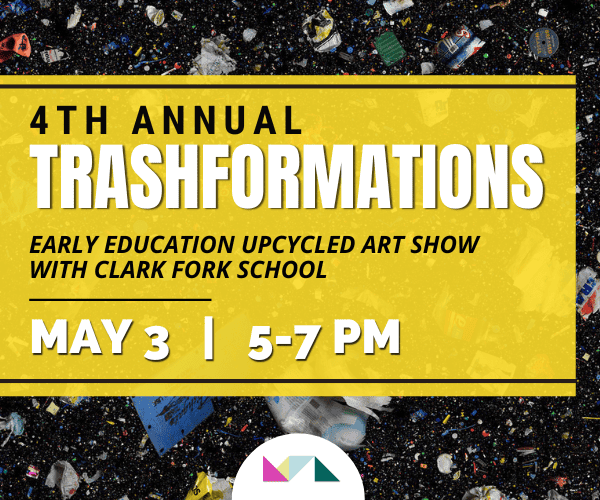
5:00 pm - 7:00 pm
Trashformations
Cooper Room
5:00 pm - 7:00 pm
Big Sky High School Art Exhibition First Friday Event
spectrUM Discovery Area
Events for May
4
10:00 am - 6:00 pm
Research Studies & Science Activities for Kids
UM Living Lab
10:00 am - 12:00 pm
Robot Obstacle Course Challenge
UM Living Lab
10:00 am - 11:00 am
MCAT Tour & Training
MCAT
10:30 am
Story Time
Art Box
11:00 am - 11:45 am
Young Kids Dance Party
MCAT
1:00 pm - 3:00 pm
Stop Animation Workshop for Kids
MCAT
2:00 pm - 6:00 pm
Discovery Area Science Activity
spectrUM Discovery Area
3:00 pm - 5:00 pm
D&D Guild for Teens
Virtual Event
4:00 pm - 5:30 pm
Virtual Reality Tour
MCAT